Demo
The real extension, replaying a scripted session. Watch the one-minute film.
See and steer everything the agent does, without leaving the editor.
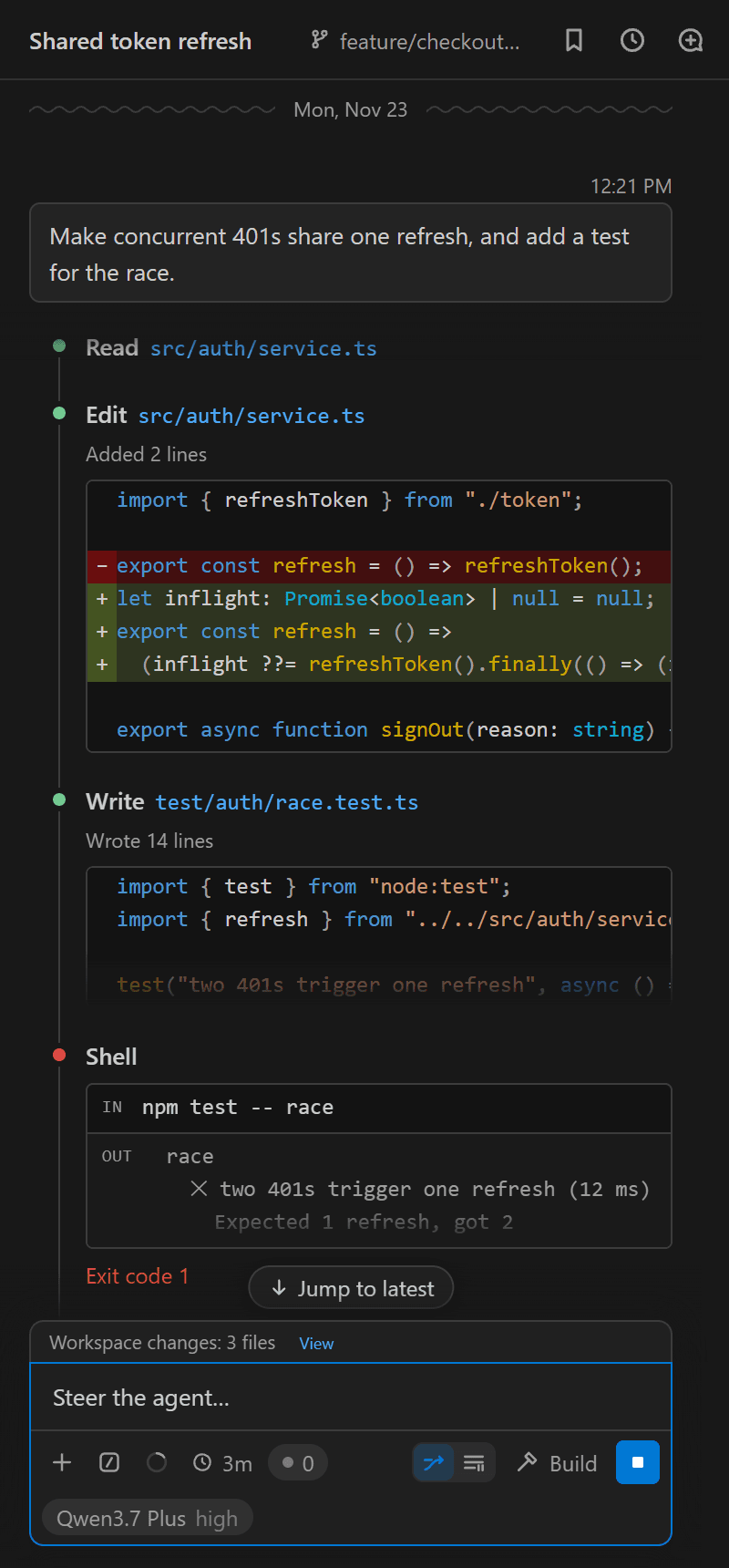
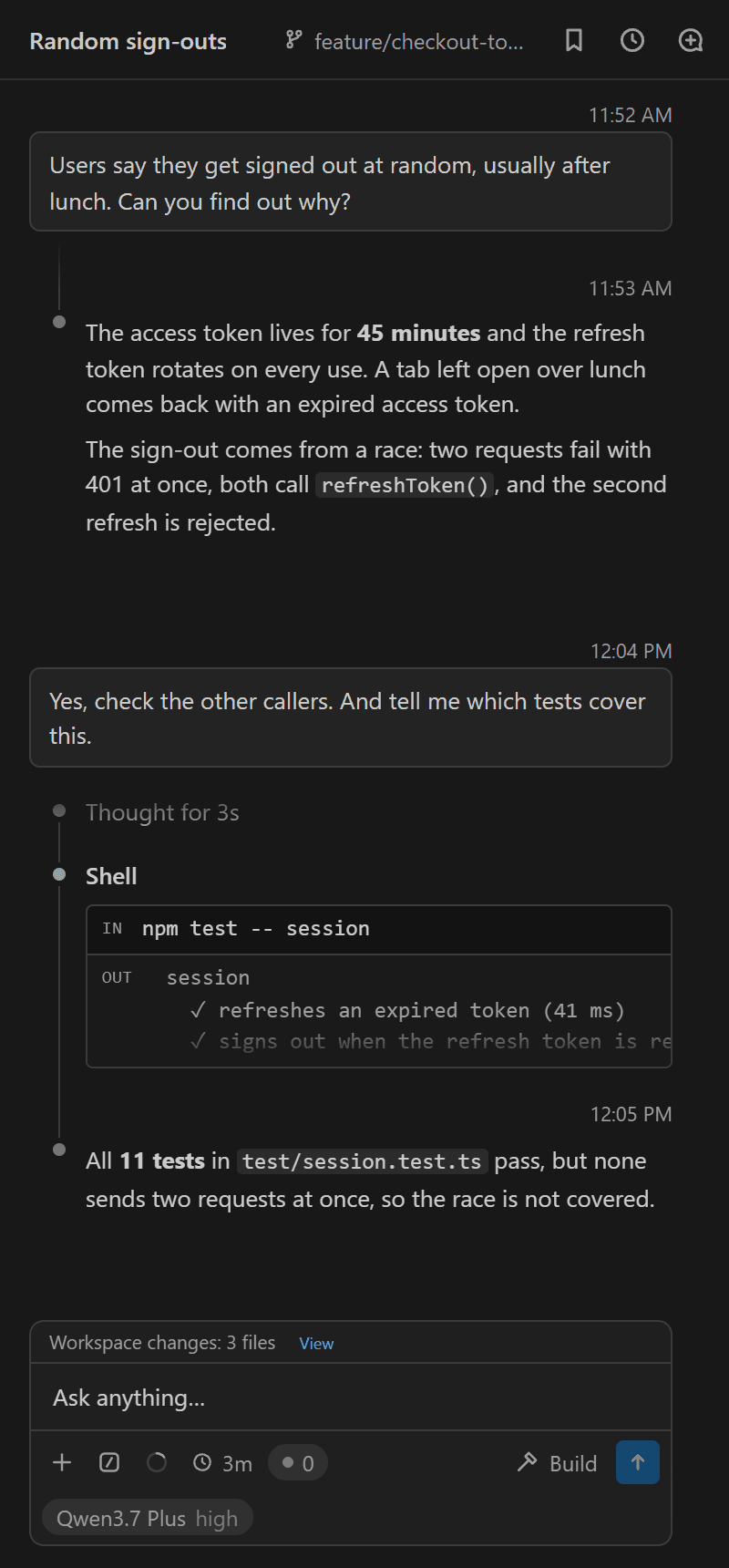
Every step on one timeline
Each prompt gets a timeline of what the agent did: thinking time, every tool call with its input and output, and edits as diffs with your theme's syntax colors. Click an edit to open it in VS Code's own diff editor.
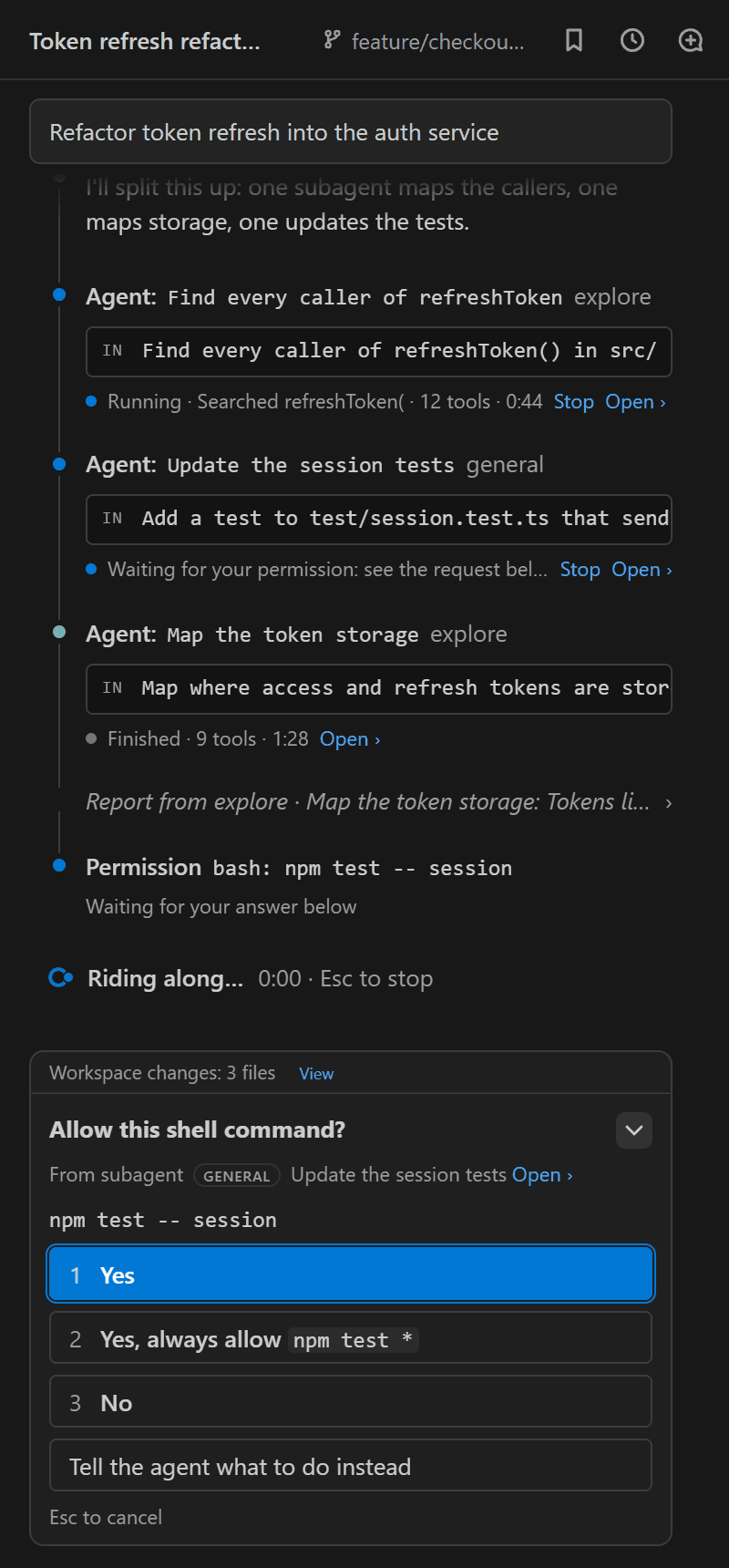
Live subagents you can stop
Each subagent shows its task, its exact prompt, what it is doing right now, and its tool count and time. Stop any of them, or open one into its own conversation. Its report comes back as one line you can expand.
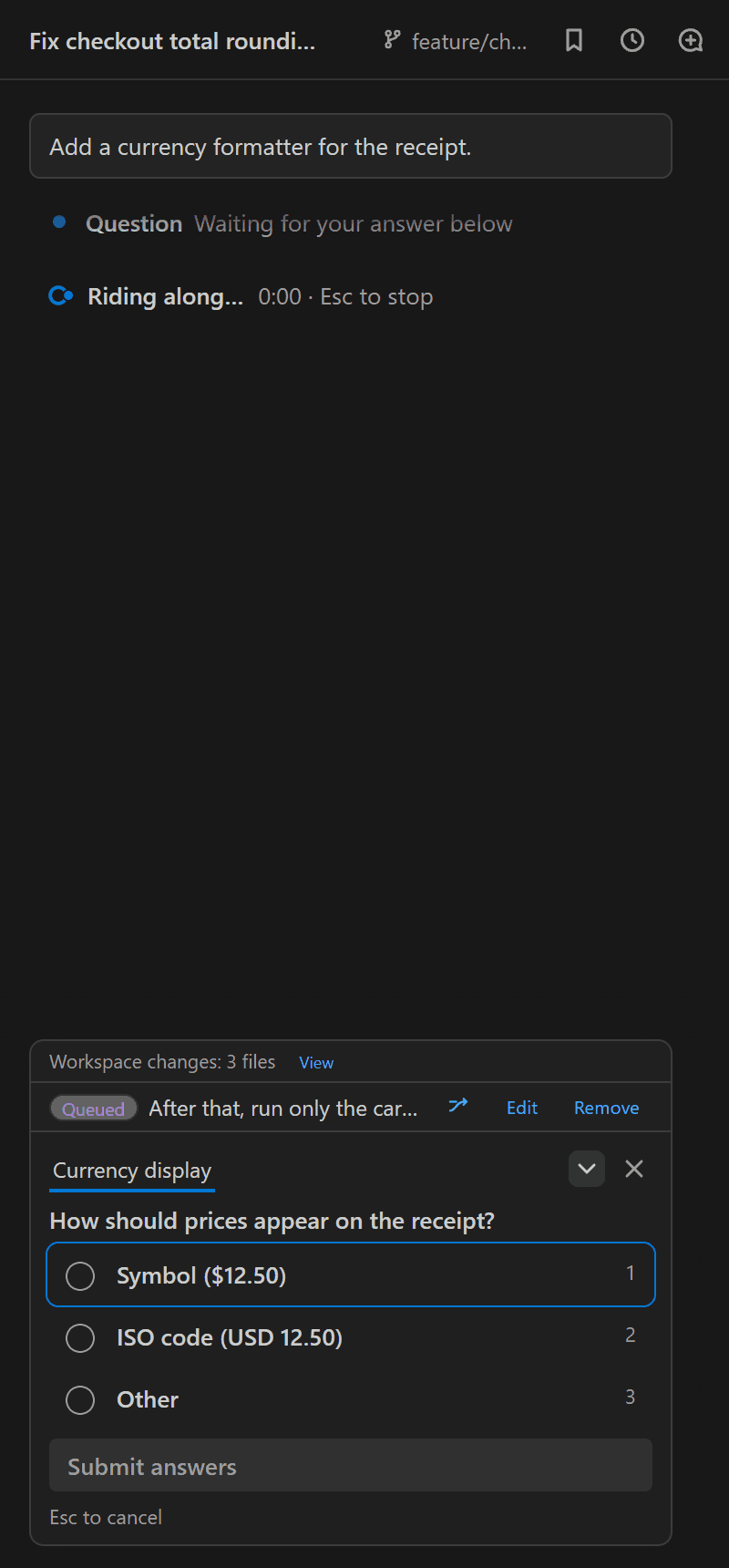
Nothing is approved for you
Permission requests and questions, including those raised deep inside a subagent, wait in place of the message box until you answer. You can also tell the agent what to do instead.
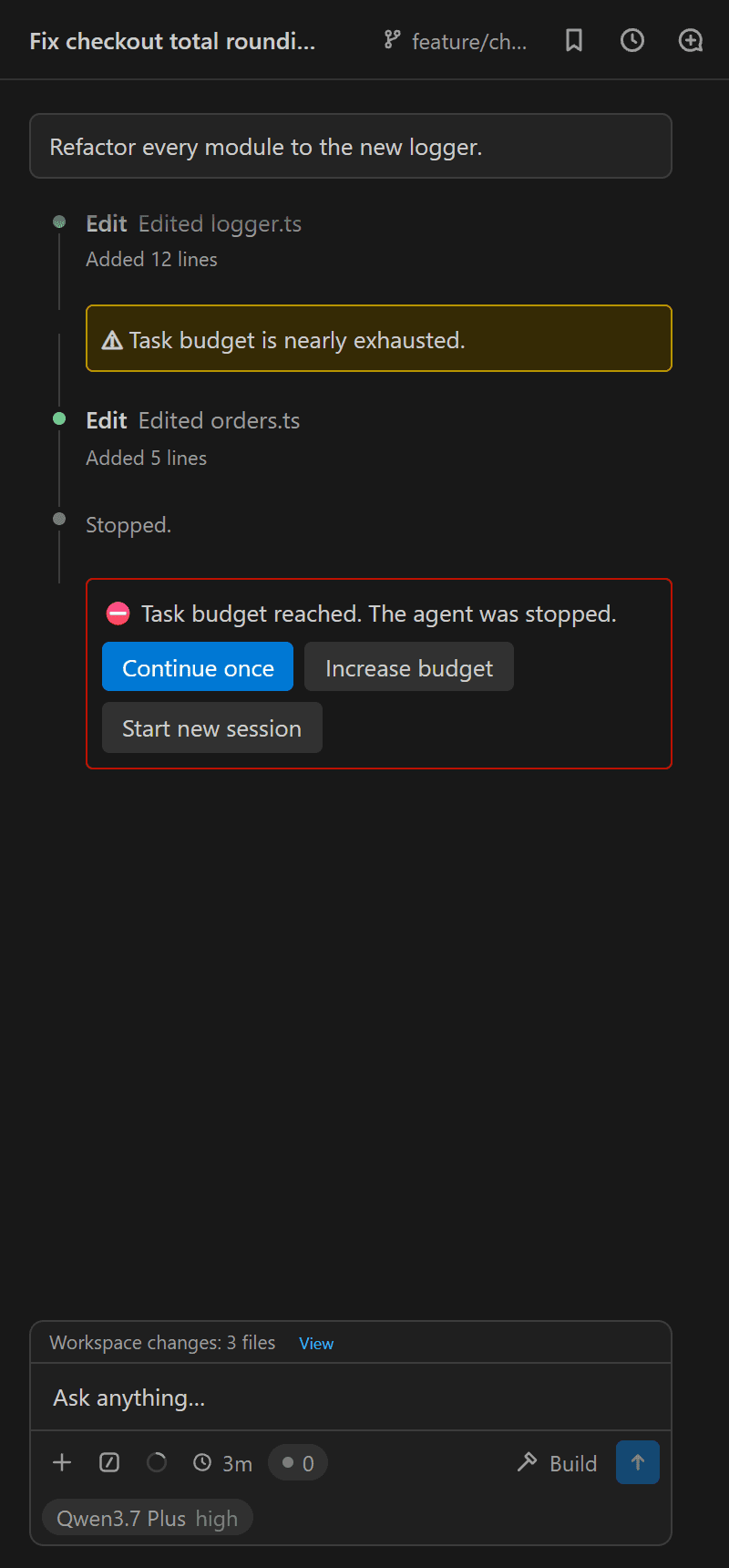
Budget Guard
Set a local limit on cost and steps for each task. When a task runs away, Budget Guard stops it, and you decide whether to continue once, raise the budget or start over.
Everything at hand in the message box
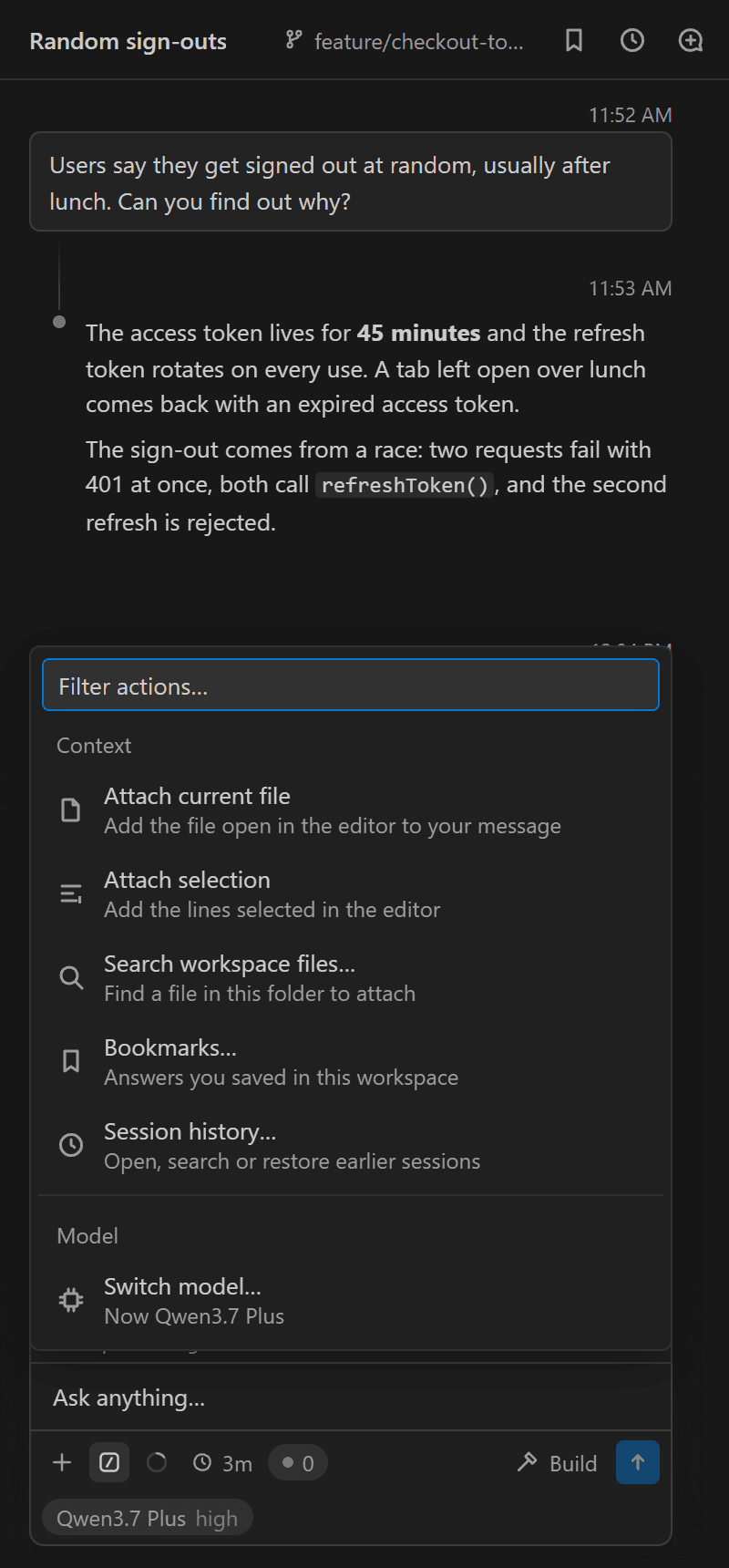
Type @ to mention a file, folder, subagent or skill, paste a screenshot, and open / for OpenCode's commands, including your own. Steer a running task or queue the next message, and rewind or fork from any prompt.
One timeline for the whole session
Prompts stay pinned while you read their turn, answers can be copied or bookmarked, and sessions you start in OpenCode's terminal UI show up here too, because they are OpenCode's own.
Sidecar or the official OpenCode extension?
The official extension, sst-dev.opencode, opens OpenCode's terminal UI in a split terminal. Sidecar is a graphical chat panel instead. Both use the same OpenCode, so you can install both and move between them.
- Interface
- Sidecar: A chat panel in the side bar, secondary side bar or an editor tab
- Official extension: OpenCode's terminal UI in a split terminal (Ctrl+Esc / Cmd+Esc)
- Context from the editor
- Sidecar: @ mentions of files, folders, subagents and skills; the selection, files and images from +
- Official extension: Shares your selection or tab; inserts file references like @File#L37-42
- The agent's work
- Sidecar: A timeline per prompt with every tool call, diffs in VS Code's diff editor, live subagents, and permission requests in place of the message box
- Official extension: In the terminal UI
- Editors
- Sidecar: VS Code, and Cursor, Windsurf and VSCodium via Open VSX
- Official extension: VS Code and VS Code-based editors
Get started
You need VS Code 1.95 or newer and OpenCode 2. Sidecar works with the models you already use in OpenCode, local ones included.
- 1Install Sidecar for OpenCode: search “OpenCode Sidecar” in the Extensions view, or use the Marketplace or Open VSX link above.
- 2Click the Sidecar icon in the Activity Bar.
- 3If OpenCode isn't ready yet, the setup card helps you install it, start it and sign in. If you already use OpenCode, you won't see it.
- 4Pick a model and start chatting.
Questions
What is Sidecar for OpenCode?
A free, open-source VS Code extension that gives the OpenCode coding agent a full chat interface inside the editor. It works with the OpenCode 2 service already on your machine.
Is there an OpenCode GUI or chat sidebar for VS Code?
Yes: Sidecar is one. Install it from the Extensions view (search “OpenCode Sidecar”), click the Sidecar icon, and chat with OpenCode in a panel beside your code. It needs the OpenCode 2 service on your machine; the setup card helps install and start it.
Does it work in Cursor, Windsurf or VSCodium?
Yes. Those editors install extensions from Open VSX, where Sidecar is published as cadogy.opencode-sidecar.
Which OpenCode versions does it support?
OpenCode 2.x, with its background service running. OpenCode 1.x is not supported.
Can I use local models, such as Ollama or LM Studio?
Yes, if they are set up as a provider in OpenCode. Sidecar uses whatever models OpenCode offers, so any provider OpenCode supports works here too.
Is it official?
No. It is an independent community project and is not affiliated with OpenCode. The official OpenCode extension is sst-dev.opencode.
Do I need an API key, and what does it cost?
Sidecar is free and needs no key of its own. It uses the models you have in OpenCode: OpenCode's free models, your OpenCode account, or any provider you connect in OpenCode. Model costs are between you and your provider.
Does it work with my existing OpenCode sessions?
Yes. Sessions are OpenCode's, so the ones you started in the terminal UI appear in History, and changes made in either place show up in the other.
Does my code leave my machine?
Sidecar sends your prompts and the files you attach only to your local OpenCode service, and it collects no telemetry. What OpenCode then sends to a model provider is decided by OpenCode and your configuration.
Which platforms does it run on?
Wherever VS Code 1.95+ and OpenCode 2.x run: Windows, macOS and Linux. It needs a trusted workspace.